Deploy NX on-premise, via SaaS, in a virtualized environment, or as a streamed service from a public cloud provider. With our cloud-based offering, you can subscribe to the award-winning NX CAD. Our flexible, cloud-connected licensing helps reduce IT and maintenance costs.
30-day free trial
Try NX X: Our SaaS CAD solution
NX X is the cloud-based SaaS version of NX, offering the full range of NX design capabilities through three scalable seat options. Easily install NX X on your devices for seamless connectivity. Built on the robust NX architecture, it allows for continuous cross-discipline collaboration with no data loss, ensuring secure and reliable data management.
Try before you buy by downloading a 30-day trial.
NX is available via perpetual licensing, subscription and rental options
Access an integrated toolset that aligns disciplines while maintaining data integrity and design intent. From concept design to engineering and manufacturing, NX streamlines the entire process.
Whether you choose to run NX from the cloud or host it within your own IT environment, Siemens’ NX CAD offers flexible licensing options to fit your workflow. You’ll have access to the same powerful features, regardless of how you deploy NX CAD. The choice is entirely up to you.
Deployment options include:
Traditional on-premise
On the cloud (streamed service from AWS or Microsoft Azure)
Rely on the NX Continuous Release process to minimize the time between upgrades and new features, reduce deployment time, and lower costs and risks, all while driving innovation that helps you stay competitive in your market.
Traditional release cycles can slow the pace of innovation. We focus on accelerating our innovation cycle to deliver valuable new capabilities to your operations on a consistent, reliable schedule.
New add-on modules are available every six months through Continuous Release.
Investment protection
Access legacy data anytime you need it. NX allows you to seamlessly use files from previous NX and Unigraphics versions even as far back as the original Unigraphics release from around 1984. No file conversions, no rework just direct compatibility.
Add-on modules and tokens
Access legacy data anytime you need it. NX allows you to seamlessly use files from previous NX and Unigraphics versions—even as far back as the original Unigraphics release from around 1984. No file conversions, no rework—just direct compatibility.
Expand NX Capabilities with Flexible Add-On Modules
Enhance and customize the functionality of NX with a wide range of add-on modules tailored to meet specific product development needs.
NX provides preconfigured solutions designed for targeted engineering disciplines and challenges. With add-ons, you can adapt these solutions to your exact requirements using specialized design tools, standard parts libraries, integrated simulation, customization toolkits, and direct data translators.
How the token system works:
Purchase a set number of tokens to be shared across your users
Tokens allow access to over 80 NX applications in the token-enabled pool
Each application uses a specific number of tokens while active
Once a user exits NX, tokens are released and made available for others
Easily adopt new add-ons as they’re introduced, with no added setup or purchasing effort
Value-based token licensing is offered in convenient value packs, delivering a cost-effective and highly flexible way to access a wide variety of NX engineering tools ideal for teams that use different applications on an as-needed basis. This model helps reduce software costs while maximizing productivity across your organization.
UI/Adaptive UI and help
Boost Productivity with the NX Intelligent Personal Assistant
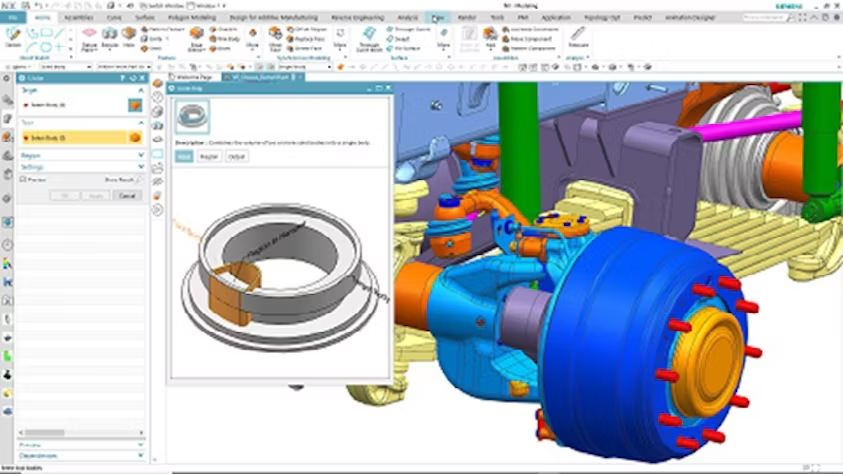
Take advantage of the NX intelligent personal assistant, powered by artificial intelligence (AI) and machine learning (ML). It observes your actions, learns your workflows, and intelligently predicts the next commands you’re likely to use—displaying them in a compact, adaptive user interface (UI) panel.
For example, when working on sheet metal, tooling, or casting design, the assistant recognizes common command sequences and proactively surfaces the next relevant tools—streamlining your workflow.
This AI- and ML-driven UI adapts to your unique usage patterns, offering a personalized design experience based on your skills, preferences, and design style. By learning and sharing command usage data, the system reduces the learning curve, encourages industry-specific best practices, and helps teams work more efficiently.
On-demand webinar
Visualizing the digital twin for heavy equipment
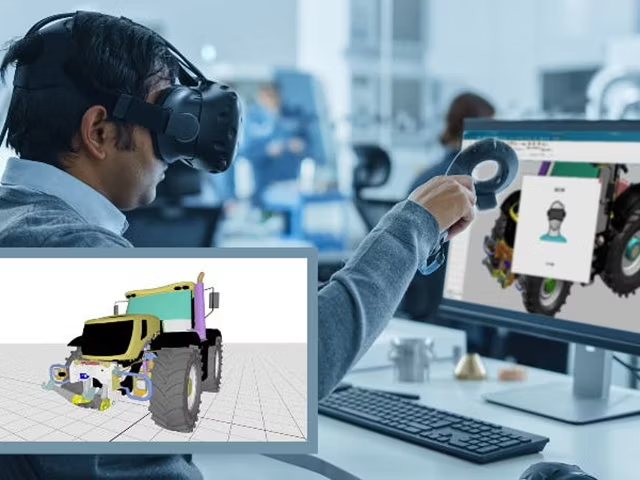
Explore how NX Virtual Reality and NX Render enable remote teams to simultaneously view and interact with a 3D digital twin—directly within NX. These tools enhance collaboration, allowing team members to visualize, review, and refine designs together in real time, no matter where they are.